Explore . . .

Thursday, 9 September 2010

How to use a blog . . .

Using a blog is easy to do, but firstly you have to make your blog.

You must go onto 'www.blogger.com', then you must enter you google account into the 'Sign In' panel.

This picture shows you were you have to enter your Google account. Click on 'SIGN IN' and you will be redirected to the next page . . .
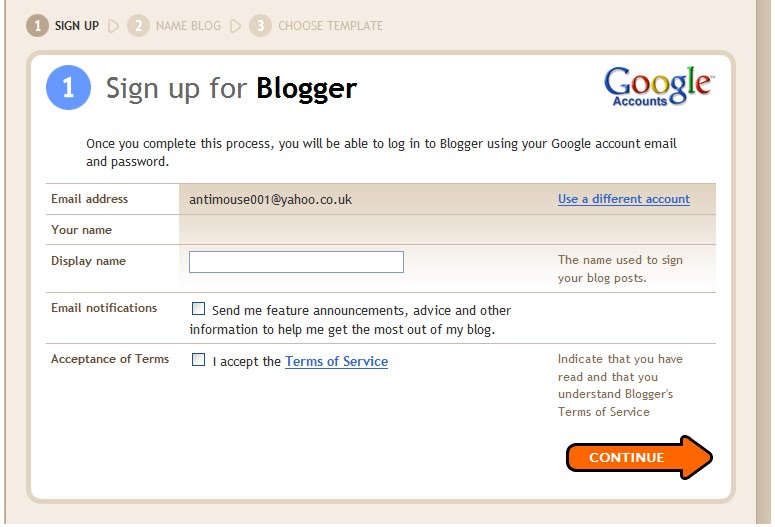


This pitcure illustrates that you to enter a display name.  The display name will be the name you will see when you sign in to your blogger.  This is so that one knows whether it is their account.  You then have to press 'Continue' to get onto the next stage . . .


Here you have to enter your 'Blog Title' and the 'URL' of your blog.  This will allow you and other to identify your blog quickly and easily.  You should also make your blog something you are likely to remember, because there is also an easy function which allows your friends to add your blog to their blog list!  Then select 'Continue' . . .


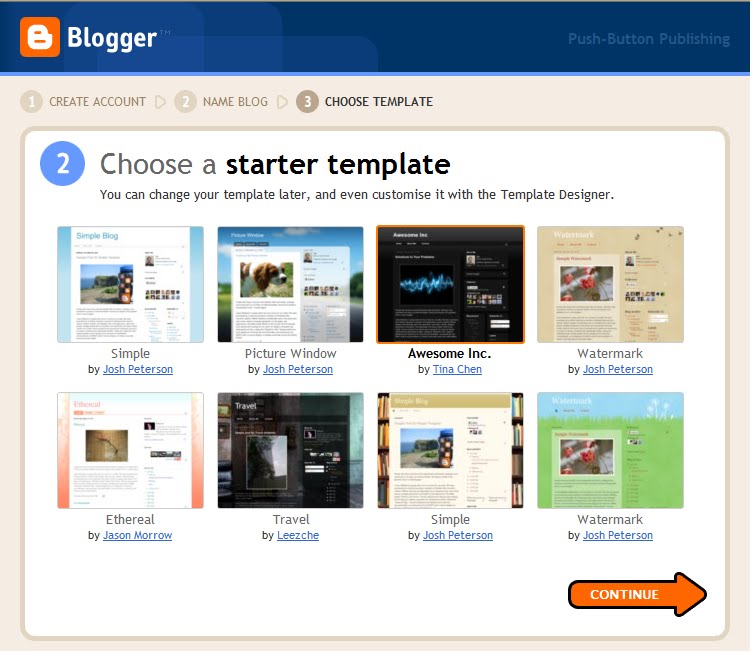
This image illustrates the section where you have to select the template you wish to have.  Templates are very good because they address the kind of person you are!  If you have a very simple a plain, straight-forward blog, then people who look at it will know that you are a straight-forward kind of person.  However if you have a blog that is full of colours and bold bright lettering and information, then the people who read it will have an idea that you have a bright and bubbly personality.


This small box simply tells you that you are ready to 'START BLOGGING'!


When you have selected the 'START BLOGGING' icon you are redirected to the 'Posting' section of your blog so that you can begin blogging.


As you can see making and starting your own blog is very easy to do; it's quick, free and there is no hassle involved!  However, if continuously updating your blog becomes tedious, you have the option of deleting your blog and account.

Wednesday, 8 September 2010

How are comments useful on a blog???

Comments are useful on a blog because the author can know whether or not their blogs are useful or not; and the viewers can give their opinions on whether the blog is useful, interesting or pointless!  Being able to understand how other people feel about their comments, the author can make changes that will improve the quality of their blog.  Although there is always room for improvement, the author is given the opportunity to find out what is good about their blogs and make them more interesting!  If the blog was about a debating topic, one would be able to debate with other users on the topic and come to some conclusions or just have an interesting converstation about both sides of the argument; however if the blog were about a business or company, the author would then be able to use the feedback to think of ways of improving or changing it's companies image!  Either way comments allow for the author to change and imrpove their blog.

Three Blog Stories . . .

Tuesday 7th September 2010, 09.00

Yoani Maria Sanchez Cordero has been named by the International Press Institute as its 60th World Press Freedom Hero.  He is an acerbic critique who informsn people very regularly of the restraints of free speech and expression on the island.

http://www.guardian.co.uk/media/greenslade/2010/sep/07/press-freedom-cuba


Friday 3rd September 2010, 13.30

The storm around William Hague and his adviser has enticed a new round of media sneering at political bloggers for their wicked ways. But this isn't just lazy, for reasons I'll explain, it ignores the real elephant in the room: how the national press collude and use the web for their vested interests.

http://www.guardian.co.uk/commentisfree/2010/sep/03/bloggers-william-hague-andy-coulson-media


Monday 9th August, 2010

When Raja Petra Kamarudin, one of Malaysia's best-known bloggers, heard he was to be detained without trial for the third time last February, he decided to flee the country. He was already facing sedition and criminal defamation charges after publishing a string of stories that linked the prime minister Najib Razak and his wife to the gruesome murder of a beautiful Mongolian translator, Shaariibuugiin Altantuyaa, in 2006.

http://www.guardian.co.uk/media/2010/aug/09/raja-petra-malaysia-today-blogger

Tuesday, 7 September 2010

About Blogs . . .

Why do people use blogs?
People use blogs because they are a more intimate, casual and are easier to take care of than a web page. Web pages need maintenance and one must have a wide knowledge of how a computer system works, whereas on a blog all you need to know is what you think and type it down.

What are the advantages and disadvantages of a blog?

Before starting a blog one must first think of the advantages and disadvantages and come to a decision as to whether creating the blog is worth it.  Here are some advantages and disadvantages that come to mind:

Advantages
  • They are easy to create
  • Are an easy way to share information
  • Blogs can be a positive way to get feedback and opinons on how to make the blog better - or something else that was mentioned on the blog
  • They are search engine friendly, easy to find and write on
Disadvantages
  • Most people don't have anything interesting to say, or any feedback to give
  • Although it is easier to use, it is harder to maintain because one may become frustrated of adding a new blog coherently every day - meaning that many blogs are not regularly updated
As you can see the advantages greatly outweigh the disadvantages; therefore making blogging a useful, trustworthy and effective means of communication.

How are blogs different to normal web pages???

Blogs are very different to a normal webpage because they allow for back-and-forth responses on the web. This means one can interact with someone else who is, or may want to, find out about something that interests them. Blogs also allow you to comment on other people's findings and opinions and you don't have to have an extensive knowledge of English, just be able to use a computer and express your opinions.

A man named 'Steve Tennent' was asked the same question and this is what he said:

- A blog is a way to publish to the Internet frequently, without technical skills. If you can send an email, you can blog. Most websites require technical skills.

- A blog is updated frequently, with chronologically-ordered, dated posts. A website is frequently static information, and the order and sequence depends on the purpose of the site.

- A blog is written in a personal voice - like if you were having a conversation with me over coffee. I didn't slave over this text, and sure, it could have been buffed and polished better.

- A blog allows the audience to interact - so they can post comments to your individual posts, and link from their blog to your posts. This allows a conversation to occur between the writer and the audience.

- As a publisher, your content is distributed much more broadly than on a website. A blog decouples the "content" from the "presentation". If I did an HTML page, the content and presentation would be coded all together.

- You tend to get better search engine results with a blog. In fact, some people joke that "Blog" stands for "Better Listings on Google".

- You can keep up with hundreds of blogs much more efficiently than hundreds of websites. Because of the RSS feature, you can monitor many blogs by syndicating them, and automatically receive updates whenever their website changes on your PC.

- You become part what's happening right now.

What is a Blog??

A blog is a site on which you can find out what is or isn't happening around the world and in your area. However this particular blog is used in order to keep track of ones dedication and commitment to the Information and Technonlogy subject, by doing so your teacher is able to be up to date with what you are and are not doing. This also gives your teacher somthing to look at in order to mark and judge your work throughout the year.

A blog is quick and easy to set up. Firstly you need to ensure that you have a Google account, once you have done this you need to go to 'www.blogger.com' and enter your Google account into the sign in bar; from here on in it's easy sailing. If you would like any further information here is a link showing you each and every step: